
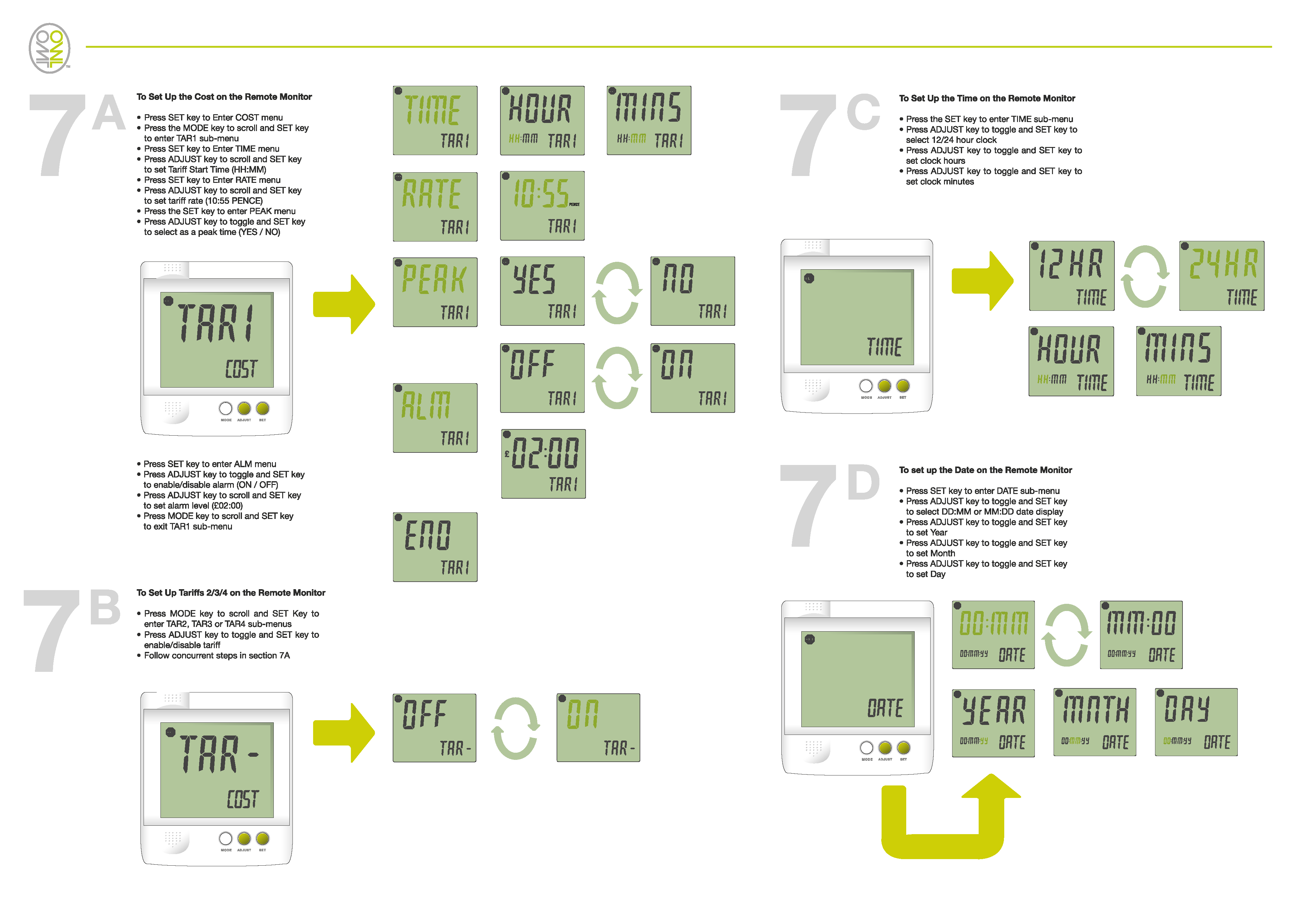
The OWL +USB can cater for up to 6 timed tariffs. Each will have its own tariff rate and each requires a start time from which the tariff will start to Apply.
To Set up multiple Tariffs
1. Press and Hold the SET key to enter set up menu.
2. CLOCK will be displayed, PRESS MODE
3. DATE will be displayed, PRESS MODE
4. TAR 1 will be displayed PRESS SET
5. PENCE will flash PRESS SET
6. 10’s units will flash PRESS MODE OR ADJUST to correct value PRESS SET
7. 1’s units will flash PRESS MODE OR ADJUST to correct value PRESS SET
8. 1/10ths units will flash PRESS MODE OR ADJUST to correct value PRESS SET
9. 1/100ths units will flash PRESS MODE OR ADJUST to correct value PRESS SET
10. WKDAY will be displayed PRESS MODE OR ADJUST to select Week, Weekend or ALL day PRESS SET when correct, for single tariff this should be ALL DAY
11. HOUR will be displayed PRESS SET (no need for a time on a single tariff)
12. MINS will be displayed PRESS SET (no need for a time on a single tariff)
13. TAR2 will be displayed PRESS SET
14. OFF will Flash, press MODE until ON is displayed the PRESS SET
Follow Steps 5 through 12 again to set up Tariff 2.
Follow Steps 13 and 14, then 5 through 12 for each Tariff required TAR 3, TAR 4, TAR 5 and TAR 6.
15. ALARM will be displayed PRESS MODE
16. CURR will be displayed PRESS MODE
17. VOLT will be displayed PRESS MODE
18. TEMP will be displayed PRESS MODE
19. GHG will be displayed PRESS MODE
20. END will be displayed PRESS SET
Your OWL +USB is now set up for multiple timed tariffs.
Download Tariff setup guide below:
0 Comments